AI Meeting Summary to Email Sequences Without Lifting a Finger
Your AI notetaker captures the meeting. Scurry takes that summary and writes complete follow-up email sequences written from what was said: from your actual conversation, ready in your inbox before you stand up from your desk.
14-day trial.·No card required.
Your Summary Is a Dead End
Why AI meeting summaries don't become follow-up emails on their own.
The Summary Just Sits There
Fireflies, Otter, Read.ai give you a beautiful meeting summary. Then nothing. You still have to open it, read through, decide what matters, write the follow-up email, then write 2 more, then schedule them properly. The summary helped you remember what happened, but the actual follow-up work is still entirely on you. Most summaries get archived without ever becoming an email.
Action Items Don't Action Themselves
"Send proposal by Friday" is a to-do, not a follow-up email. Your notetaker is great at extracting what needs to happen. It doesn't actually make any of it happen. You're back to writing the email yourself, scheduling the send, remembering to circle back if there's no response. The notetaker logged the work; you still have to do it.
The Window Closes Fast
The 24-hour follow-up window is real, reply rates drop sharply after the first day. Most summaries get read 2–3 days late, when you finally have time to write follow-ups. By then, your prospect has cooled, met with your competitor, or moved to other priorities. The summary was ready in 5 minutes. The follow-up didn't go out for 3 days. That gap is where deals die.
Scurry Picks Up Where Your Summary Tool Stops
Convert AI meeting summaries into automated follow-up email sequences.
Records, transcribes, summarizes, then stops
- Records the call
- Transcribes the audio
- Generates a clean summary
- Lists action items and decisions
- Stops there, nothing happens unless you do something with it
Turns the summary into a complete sent sequence
- Reads the summary AND full transcript for richer context
- Writes a complete 3–15 email sequence
- References specific details (pain points, budget, names, next steps)
- Sends through your own inbox (Gmail/Outlook OAuth)
- Auto-stops on reply
- Optionally checks Pipedrive deal status at send time
Three Steps From Summary to Sent Sequence
How to convert AI meeting summaries to email sequences automatically.
Connect Your Notetaker
Fireflies has native OAuth, summaries and transcripts flow into Scurry automatically the moment they're ready. Other notetakers (Otter, Read.ai, Fathom, tl;dv, Gong, MeetGeek) connect via our endpoint with one HTTP call.
One-time setupSet Your Rules
Configure brand voice with Universal Prompts. Set sequence length (3–15 emails). Add AI Filters in plain English ("only proceed if budget mentioned," "skip if no decision-maker").
Set once: applies to every meeting forever, across every notetaker source.
Set it and forget itSequences Generate Automatically
Meeting ends → notetaker produces summary → Scurry reads it → sequence drafts → emails queue on schedule. Review or auto-approve.
Real-time reply detection stops sequences when prospects engage. You only intervene if you want to.
Every meeting, foreverBuilt For Teams Already Using AI Notetakers
AI follow-up tool for Fireflies, Otter, and Read.ai users.

Native OAuth, zero new steps
You love Fireflies' summaries but the follow-up step is still manual. Connect Scurry's native Fireflies integration in one click, every transcript flows in automatically. No webhooks, no setup steps. Each meeting becomes a sequence without you doing anything new.

One webhook, full automation
Your notetaker doesn't have a native Scurry integration yet, but it exports transcripts. Connect via our endpoint: one webhook URL, copy-paste, done. The transcript flows in, the sequence flows out. Same end-to-end automation as the Fireflies path.
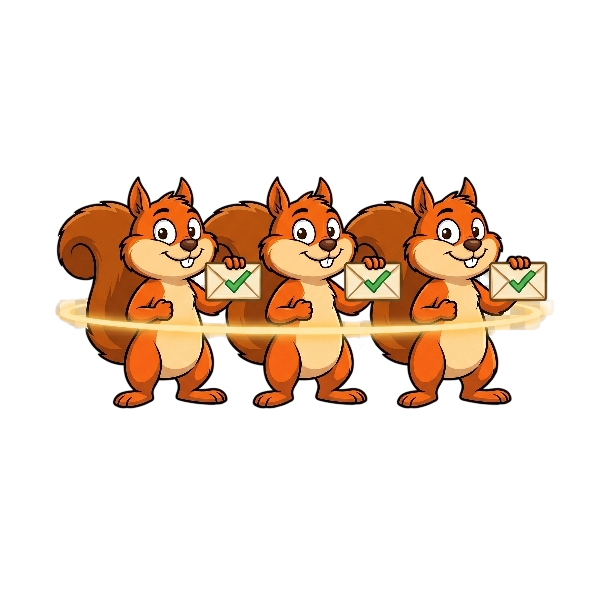
Different sources, one sequence engine
Some reps use Fireflies, others use Otter, others use whatever came with their Zoom plan. Scurry handles all of them simultaneously through the same workflow. Different sources, same brand voice. The notetaker layer becomes invisible to your sales process.
Notetakers vs Sequencers vs Scurry
AI meeting summary tools compared to email sequence tools.
The market has notetakers and sequencers. Both are useful. Neither connects the dots. Here's the gap:

Fireflies · Otter · Read.ai
- Great summaries and action items
- Some have a "draft email" button, one template-style email
- You still write every actual follow-up
- You still schedule every send
- The summary helps; the work is still on you

Outreach · Apollo · Salesloft
- Great sending machinery and templates
- You still write every email body
- No knowledge of what was discussed in your meeting
- Generic at scale
- Best for outbound, weak for post-meeting follow-up

The missing layer
- Reads your summary AND full transcript
- Writes the whole multi-touch sequence (3–15 emails)
- Each email references specific conversation details
- Sends through your own inbox (OAuth)
- Auto-stops on reply · CRM-aware (Pipedrive native)
Works With Your Existing Notetaker
AI notetaker compatibility for automated follow-up emails.
If your notetaker produces a summary or transcript, Scurry can use it. Fireflies has native OAuth integration today, summaries and transcripts auto-flow into Scurry. All other notetakers connect via our endpoint with a one-time webhook setup.





Any notetaker that exports a transcript or summary works. See all integrations →
Already using a notetaker? Add the missing layer.
Join the waitlist 🌰14-day trial. No card required.
AI Meeting Summary Questions
FAQ about converting AI meeting summaries to email sequences.
Your Summary Becomes a Sequence, Automatically.
Every AI notetaker summary becomes a multi-touch sequence written from the call: written from your actual conversation, sent before you've left your desk.
Zero manual work. 14-day trial. No card.